

Does your character move on its own, even when you’re not touching the stick? Or does your aim shift by itself in the middle of a game? That’s called stick drift, and the good news is you don’t need to throw your controller away. In this guide, we’ll show you how to fix controller stick drift using simple steps you can do at home — no new controller needed.
This guide works for PS5, Xbox, and Nintendo Switch Joy-Con controllers. We’ll start with the easiest fixes first, then move to deeper solutions if those don’t work.
What Causes Controller Stick Drift?
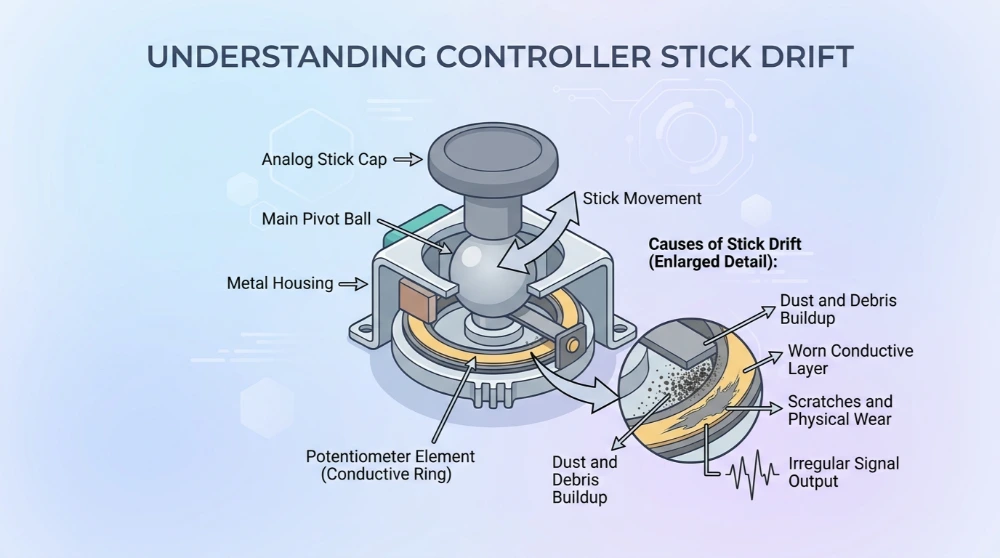
Controller stick drift happens when a worn-out part inside the stick, called a potentiometer, stops correctly reading the stick’s true center position. Because of this, your controller thinks the stick is being pushed even when it’s sitting still.
This usually happens because of:
- Dust and dirt building up around the stick base
- Normal wear from heavy or long-term use
- Aging parts that naturally weaken over time
The more hours you put into a controller, the more likely the stick is to develop drift eventually.
Before You Fix It — Confirm You Actually Have Drift
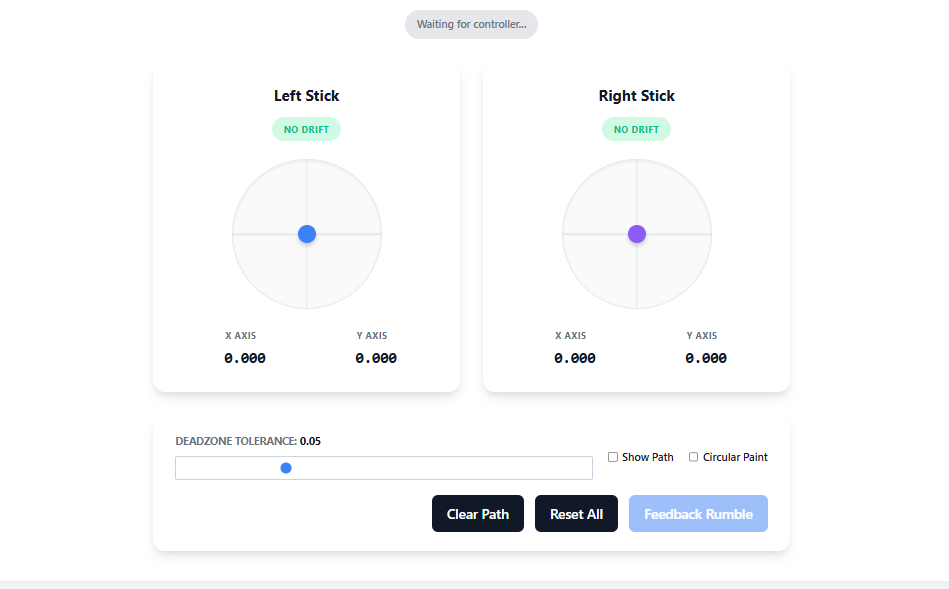
Before you try to fix controller stick drift, it’s worth confirming that’s really the problem. If the stick moves on its own while you’re not touching it, that’s drift. But if buttons don’t respond, or the controller won’t connect at all, that’s a different issue and these fixes won’t help.
You can quickly check this using our free online testers:
Quick Fixes (No Tools Needed) — Try These First
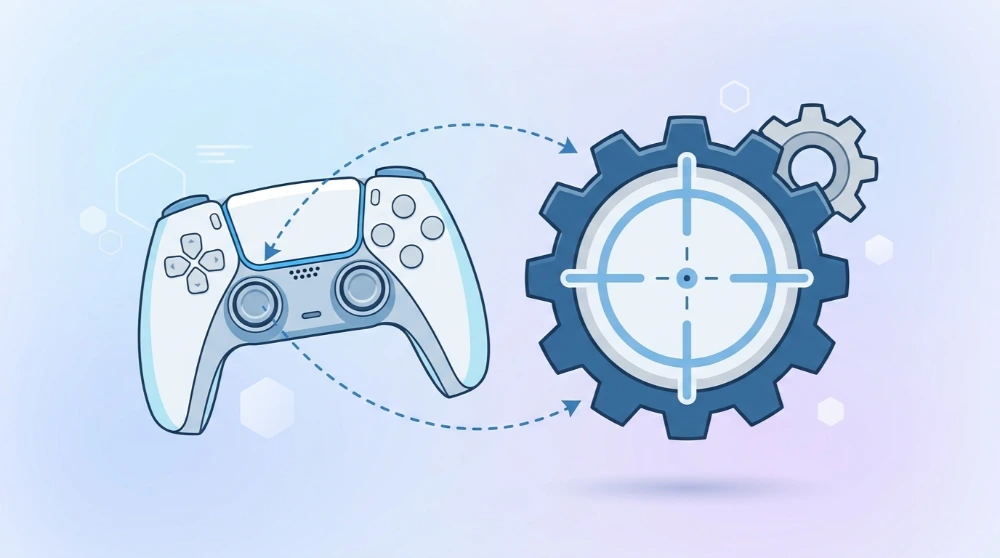
These simple steps can solve mild drift in just a few minutes.
Restart and Reconnect the Controller
Sometimes drift isn’t even a hardware problem — it’s a small software glitch. Turn your controller off, disconnect it, and then reconnect it (via Bluetooth or USB). Test it again before moving to the next step.
Recalibrate Your Controller
Recalibrating tells your console the sticks correct center point.
- PS5: Settings > Accessories > Controllers > Calibrate Stick Centers
- Xbox: Open the Xbox Accessories app and follow the calibration steps
- Switch/Joy-Con: System Settings > Controllers and Sensors > Calibrate Control Sticks
Update Controller Firmware
Outdated firmware can sometimes cause strange stick behavior. Check your console or companion app’s settings for available controller updates and install them if found.
Adjust In-Game Deadzone Settings
A deadzone is the small area around the center of the stick where the game ignores tiny movements. Increasing your deadzone slightly can hide mild drift during gameplay. Keep in mind — this doesn’t actually fix drift, it just makes it less noticeable.
Moderate Fixes — Cleaning Your Controller Stick
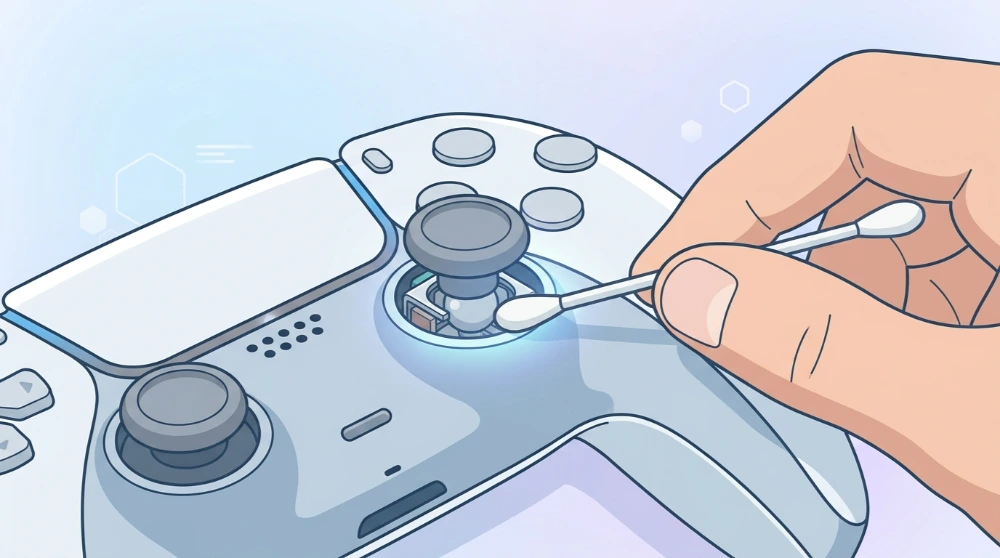
If the quick fixes didn’t work, cleaning is the next step to fix controller stick drift caused by dust or dirt.
What You’ll Need
- Compressed air
- Isopropyl alcohol (90% or higher)
- Cotton swabs
- A small screwdriver (optional, only if opening the controller)
Step-by-Step Cleaning Guide
- Turn off and fully disconnect your controller.
- Spray compressed air around the base of the stick to remove loose dust.
- Dip a cotton swab lightly in isopropyl alcohol.
- Gently clean around the stick base, rotating the stick in a circle as you go.
- Let the controller sit and dry completely before turning it back on.
- Reconnect it and run the drift test again to check your results.
Does Cleaning Actually Fix Drift Permanently?
Honestly, it depends on the cause. If your drift was caused by dust or dirt, cleaning often fixes it completely. But if the internal potentiometer itself is worn out, cleaning may only help for a short while before the drift returns. In that case, you’ll need a more permanent fix.
Permanent Fixes — When Cleaning Isn’t Enough
If cleaning didn’t fully solve the problem, here’s how to fix controller stick drift for good.
Replace the Analog Stick Module
This involves swapping out the worn stick part for a new one. Some players do this themselves with the right tools, but if you’re not comfortable with small electronics, it’s safer to have it done professionally. Many repair shops offer this service at a low cost.
A popular upgrade during replacement is switching to a Hall Effect stick module, which resists drift far better than the original part (more on this below).
Use Official Manufacturer Repair
Sony, Microsoft, and Nintendo all offer repair or replacement options for drift-related issues, and Joy-Con drift repairs in particular have been widely covered due to how common the issue is. Check your manufacturer’s official support page to see current policies, since these can change over time and vary by region.
Hall Effect Sticks vs Standard Sticks — Why It Matters
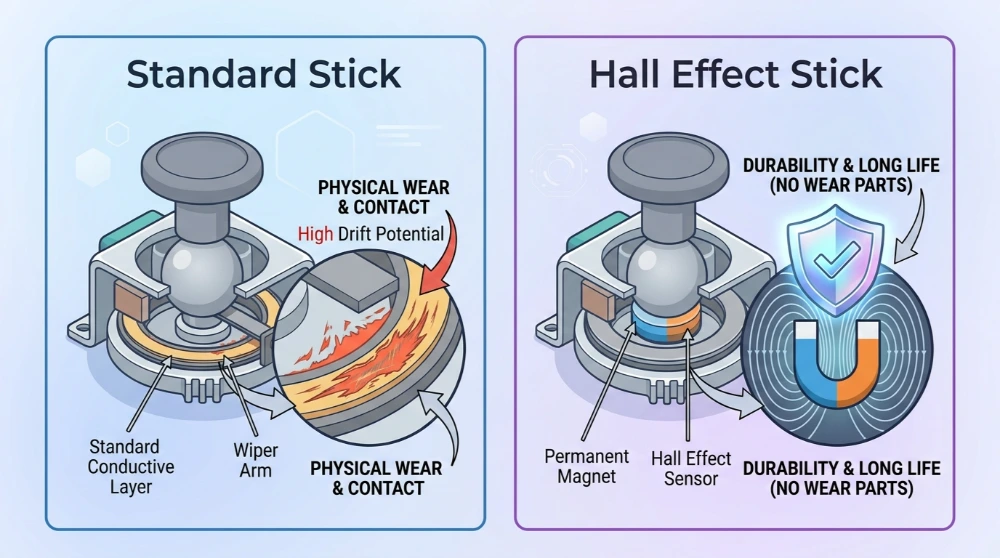
Most controllers use a standard stick with a potentiometer, a part that physically wears down the more you use it. That wear is the main reason drift happens in the first place.
Hall Effect sticks work differently. Instead of physical contact, they use magnets to detect stick position. Because there’s no physical wear involved, they’re much more resistant to drift over time. If you’re replacing a stick anyway, upgrading to Hall Effect is one of the best long-term ways to fix controller stick drift and prevent it from coming back.
How to Prevent Stick Drift in the Future
A few small habits can help your controller last longer before drift shows up again:
- Avoid pressing the stick with excessive force
- Clean your controller occasionally, even before drift starts
- Keep it away from extreme heat, humidity, or moisture
Avoid storing your controller with the stick pressed at an angle
Frequently Asked Questions
Final Thoughts
Most of the time, you can fix controller stick drift at home without spending money on a new controller. Start with the quick fixes, move on to cleaning if needed, and only consider replacement or repair if the drift keeps coming back.
Once you’ve applied a fix, don’t forget to re-test your controller to confirm it worked.
Check out our other guides: Joy-Con Drift Test, PS5 Controller Test, or Xbox Controller Test.